Optimizing your blog doesn’t have to be like pulling teeth. In fact, it can be done in a day.
Optimizing a Blog
We’ll write this with the assumption that your blog runs on WordPress, which was recently confirmed to power as much as 18%+ of all sites in the world (site, blogs, everything). With the dynamic and widely available plugins available for WordPress, getting 100% on-page optimization integrated into your blog no longer requires paying out the big bucks. As with any website or blog there is a few core tasks to always tackle for improved on-page optimizaiton.
- “search engine friendly” (SEF) url’s
- efficient title tags and meta descriptions
- quick page load
- social integration
1 – Enable Search Engine Friendly URL’s
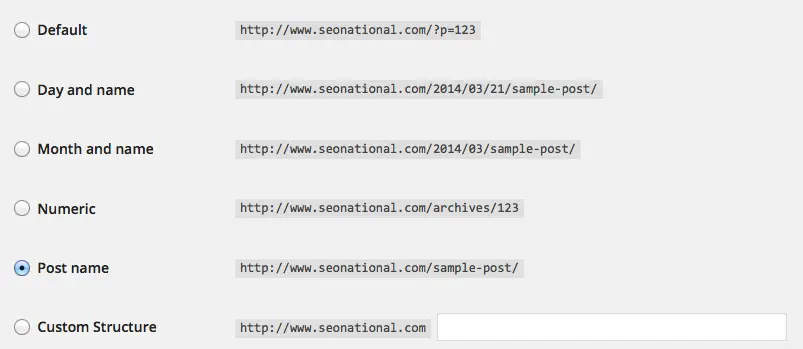
The nice thing about WordPress, as with most mainstream content management systems, they have the ability to have pages use search friendly url’s (i.e. www.domain.com/friendly-link/ vs www.domain.com/?p=123ABC). This can be enabled with the click of a mouse, literally. Simply enable “Permalinks” under Settings on your blog.
2 – Add Relevant Title Tags and Meta Descriptions
Title Tags and Meta Descriptions are the lines that describe a page that Google displays when returning that page in a search result. This makes them valuable to portray your message to potential visitors. Title Tags and Meta Descriptions should be descriptive and explain what the page is about. They should often also include some sort of call-to-action to further encourage the searcher to click and visit your website. A great add-on (“plugin”) to take full control of Title Tags and Meta Descriptions in WordPress is called “WordPress SEO” by Yoast. WordPress SEO allows you to dynamically populate all pages or posts using defined variables. Or, it also allows you to overwrite any particular page with a specific Title Tag or Meta Description of your liking.
3 – Make Your Website Pages Load Quickly
Now that you have made some good updates to your blog you should make it load quickly. Search engines want visitors to have a good user experience. When you provide a quick loading website it avoids the negative experience everyone hates when they have to wait for a page to load. One easy foot in the door is to take on the items that often slow down sites the most, images. You may have a lot of great pictures on your website, product images, etc. If they slow down your site enough to the point that it causes users to shy away, what good to the pretty pictures do? How do you resolve this issue? Losslessly compress your images. Lossless compression retains the visual quality of an image, but reduces the actual load size. Images can save 90% of their file/load size while remaining just as pretty to look at as the original.
(sample compression savings)
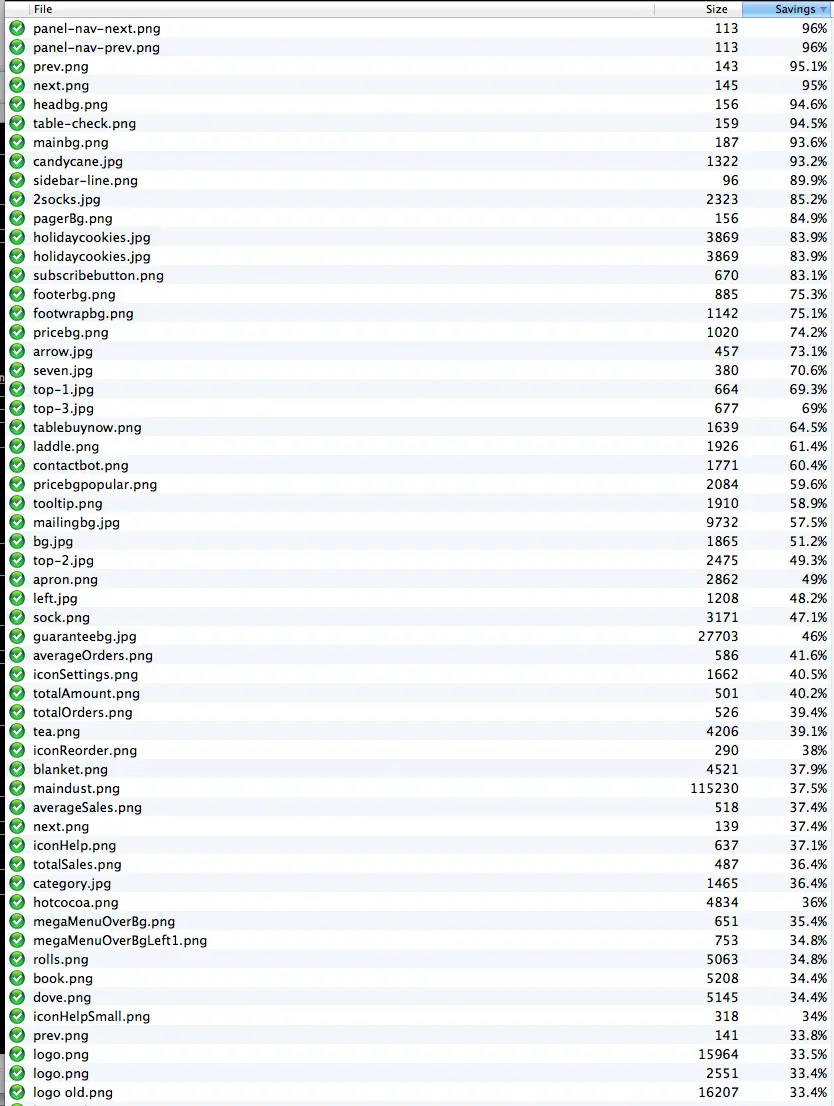
If you use a Mac, we recommend ImageOptim. There’s even a smush.it plugin for WordPress to automate the compression process.
What if your site loads slow even outside of images? Enable caching. Caching basically takes a snapshot of each page and stores whatever parts of it that it can for quicker loading. The next time a visitor comes around the website can load the page from the previous “snapshot” without having to truly reload all of the code on the page itself. W3 Total Cache will cache everything from html and css to databases and objects.
The caching plugin that we use, as well as thousands of other people, is W3 Total Cache. The default settings are usually sufficient, but there are a lot of options you can change that are dependent on your hosting environment. A word of wisdom… check your site after enabling caching. Some WordPress templates get messed up after html or css is minified. A simple solution to fix the mess, yet still use W3 Total Cache is to disable just the “Minify” part of the plugin.
4 – Share Your Awesomeness on Social Media
Make it easier for visitors to share your awesome stuff with others too. Enable a plugin like “Really simple Facebook Twitter share buttons” to put Facebook “Like” buttons, Twitter “tweet” buttons and more. With the click of a social button your visitors can share your awesomeness for you. You can also enable plugins like SNAP (Social Networks Auto-Poster) to automatically share new posts on your blog with your favorite Facebook or Twitter account.
You now have a nice website and it’s a little easier for search engines to find. Begin sharing it with the world. Go to forums or community-based websites that talk about your type of product or service. Participate in the discussions. Don’t go there and “sell yourself.” Instead, share your knowledge. Educate other site members. Once they learn how great you are in your industry they will often become a customer or vouch for you. The more people that you educate and introduce to your business = the more that will share the awesomeness they’ve learned about you. Everything else will snowball from there.