What is Schema Markup?
Schema is code that is added to your website to provide better context to search engines. Instead of search engines making educated guesses, laying in schema markup helps them better understand the context of your content, and helps them showcase it within search results with more confidence.
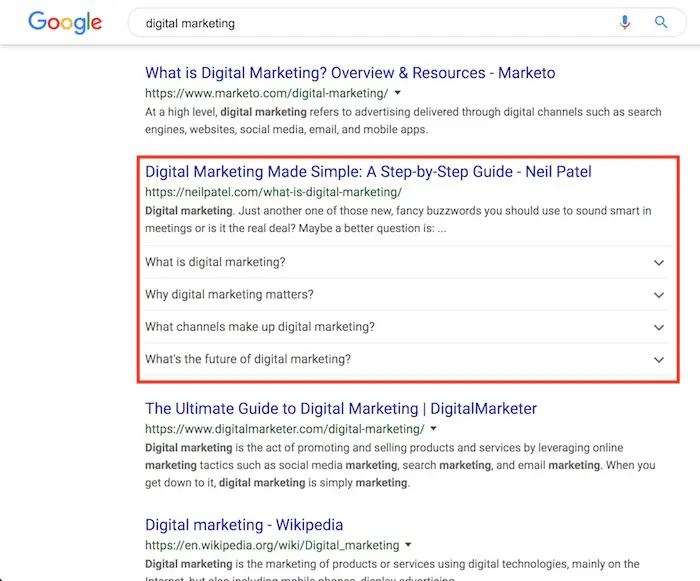
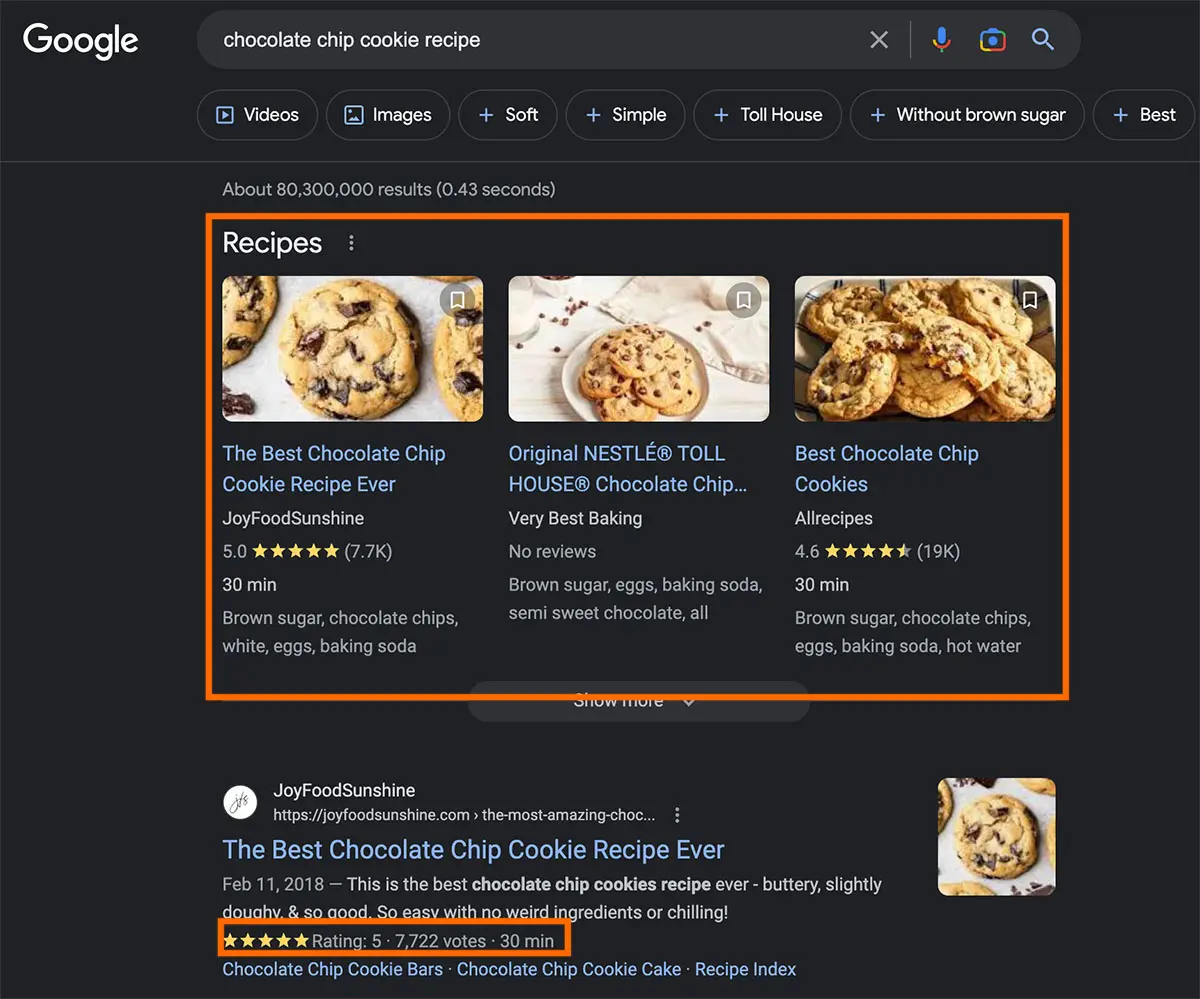
Examples of schema in action
If you’ve ever searched Google and have seen top-ranking enlarged results, thumbnails in the results, review stars, videos, etc – that was schema in action. You can see for yourself in the image below or by clicking this link.
person schema 👇🏻
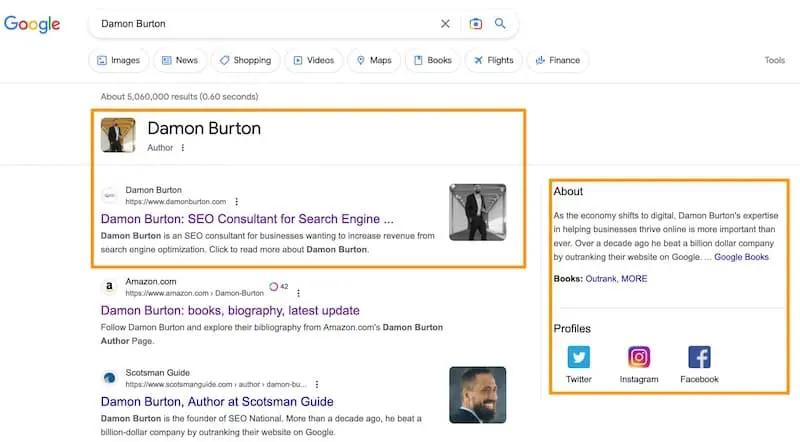
[click to enlarge]
company schema 👇🏻
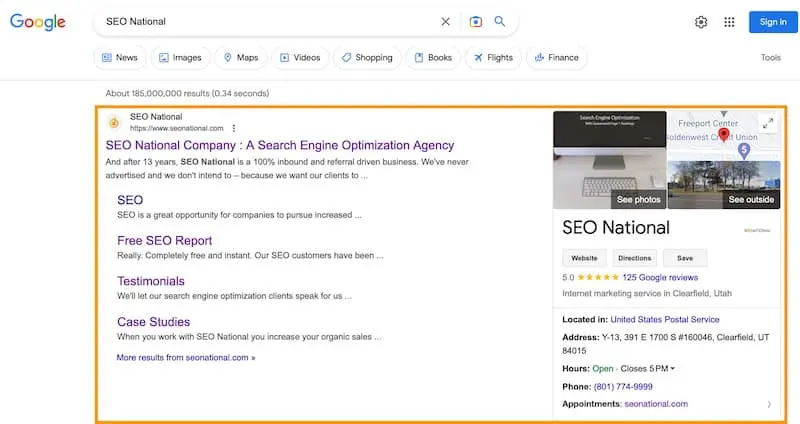
[click to enlarge]
Why is Schema Markup Important?
✅ Schema Markup powers Rich Snippets in search results
✅ Rich Snippets have higher click-through rates
✅ Schema Markup helps search engines better understand and index your content
What are Common Types of Schema?
There is schema to index a wide variety of content, and Google provided a guide here on the types of Schema currently recognized by their search engine.
Common Schema Types We Use:
- Person Schema (example)
- Article Schema
- Podcast Schema
- FAQ Schema (example)
- Recipe Schema (example)
- AudioObject Schema
- Video Schema
- Organization or Local Business Schema (example)
- Book Schema (below)
book schema 👇🏻
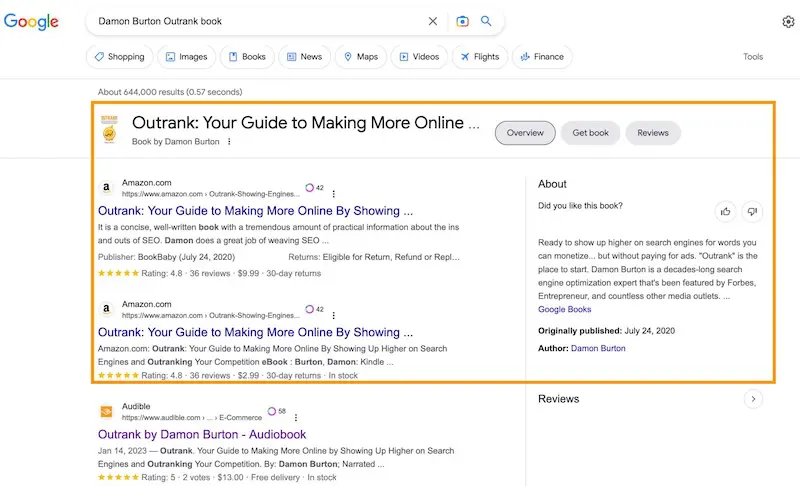
[click to enlarge]
Okay, So How Can My Team Easily Create Schema?
You’re in luck – there is no need for technical knowledge of how to write schema by hand (although you can certainly do so).
There are plenty of resources online to help you generate schema to add to your website or funnel.
Where Do We Add Schema?
Schema is typically added to the <head> of your webpage. However, you can also add it within the <body> of the page. Essentially, you need to add it to your website page somewhere for search engines to read it.
How Do We Check If We Added Schema Correctly?
You’re in luck again – Google has a structured data testing tool. Just copy and paste the URL of your page, click “Test,” and it will show which schema is added to your website (and if there are any errors).
Or you can also use…
🔗 Schema Validator from Schema.org
I’m Sold – Can I Also Add Schema to My Website?
Here’s a private video tutorial I made for some mastermind friends. It talks about how to add in ClickFunnels, but the same concept of adding the code to the head applies for any platform. And if you’re using WordPress, this plugin will do it for you.